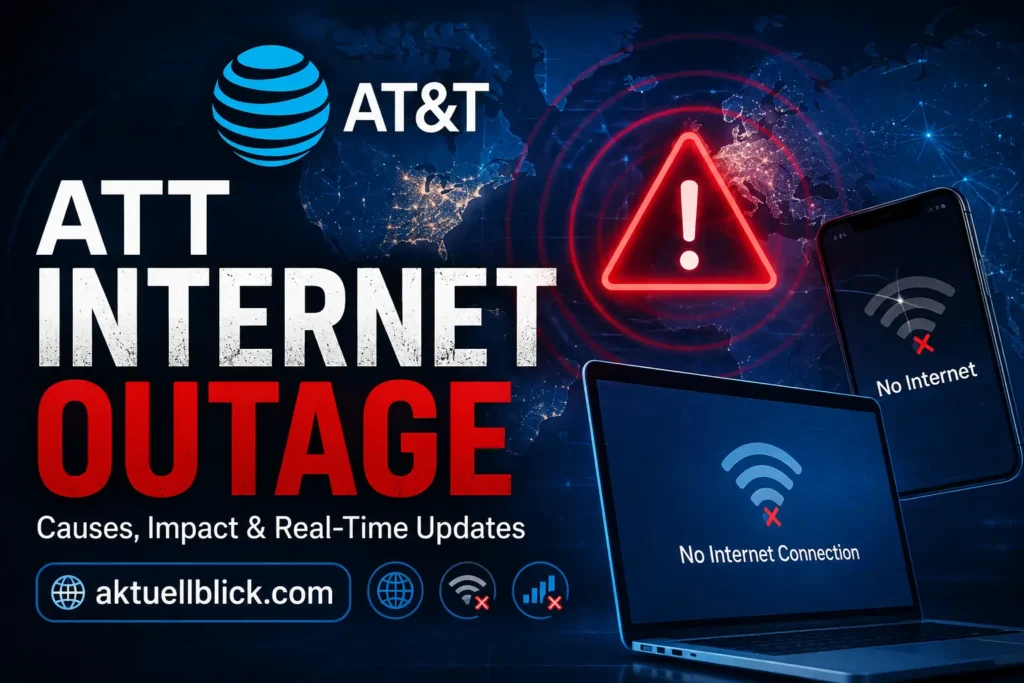
An att internet outage can stop work calls, streaming, gaming, smart-home devices, security cameras, online classes, and almost everything else that depends on a home connection. The confusing part is that a loss of internet does not always mean AT&T itself is down. The problem may come from a local network interruption, damaged fiber, your WiFi gateway, an Optical Network Terminal, a power failure, or even one device inside your home.
If you are dealing with an att internet outage, the first goal is to identify where the problem starts. Is AT&T having a service problem in your neighborhood? Is AT&T Fiber down? Is the All-Fi Hub connected but unable to reach the internet? Or is your home WiFi working normally while one phone or laptop refuses to connect?
This guide explains the full process in simple terms. You will learn how to check AT&T outage today reports, use an AT&T outage map, check service by ZIP code, read gateway lights, troubleshoot Fiber and Internet Air, report a problem, follow restoration updates, and find out whether you may qualify for an outage credit.
ATT Internet Outage: Current Status and Latest Updates
Is AT&T currently having a nationwide internet problem? There is no single status that applies to every AT&T customer in the United States. AT&T Fiber, older broadband connections, and Internet Air operate through different infrastructure, so one city can experience a service interruption while customers elsewhere remain fully connected.
As of August 31, 2026, there is no clear indication from the current information reviewed for this guide of one confirmed nationwide AT&T home internet failure affecting every region. Local AT&T outage reports can still occur at any time, however, and address-level problems may not appear as a national incident.
That distinction matters. A person searching for AT&T outage today may see hundreds of reports online, but those reports could be concentrated in one city, one ZIP code, or one type of service.
For the most useful status check, look at three things together:
- Your address or account-specific outage status
- Current reports from customers near your location
- The lights and connection state of your AT&T gateway
If AT&T recognizes a network interruption for your address, troubleshooting your laptop or repeatedly restarting your router will usually not restore service. The network problem must first be repaired upstream.
Is AT&T Internet Down Right Now?
The fastest way to answer this question is to separate an AT&T service outage from a problem inside your home.
Start by checking whether multiple devices lost internet at roughly the same time. If phones, laptops, TVs, game consoles, and wired Ethernet devices all stopped working together, an area outage or gateway issue becomes more likely.
You should also check whether neighbors using the same provider are experiencing the same problem. Several nearby AT&T customers losing service simultaneously is a much stronger outage signal than one device failing.
A likely AT&T network outage may show these signs:
- All connected devices lose internet together.
- Your gateway shows a network-related warning light.
- Your account reports a known service interruption.
- Nearby customers report AT&T internet down at the same time.
- Fiber service disappears even though your home still has electricity.
- AT&T provides a restoration estimate or outage alert.
A home network problem is more likely when only one device is affected, WiFi works in one room but not another, Ethernet still works, or AT&T reports no known issue for your address.
Can your WiFi icon still appear during an outage? Yes. WiFi and internet access are different things. Your phone can remain connected to the gateway over WiFi even when the gateway has lost its connection to AT&T’s network.
Live ATT Internet Outage Map
An AT&T outage map helps show where service problems are being reported, but maps need to be interpreted carefully.
There are generally two types of outage information.
The first is provider-confirmed information. This is connected to AT&T’s own network and account systems and is the better source for deciding whether your address is inside a recognized outage.
The second is crowdsourced outage data. These maps use reports submitted by customers. They can sometimes show a developing problem quickly, especially when many reports appear in the same location, but a report does not automatically prove that an AT&T network failure exists.
A large cluster on an AT&T outage map can indicate a regional problem, while a few isolated reports may represent home equipment, WiFi, account, or device issues.
When reading a live outage map, focus on:
Report concentration: A sudden dense group of reports is more meaningful than scattered complaints.
Report timing: Recent reports are more useful than reports from several hours or days ago.
Service type: Wireless, Fiber, Internet Air, and older internet services should not automatically be treated as the same outage.
Official confirmation: A provider-confirmed interruption for your address carries more weight than social media comments.
Remember that outage maps can change minute by minute. A static screenshot should never be treated as permanent service status.
Most Affected AT&T Outage Locations
The most affected AT&T locations are not fixed. They change according to storms, construction damage, equipment failures, fiber cuts, power problems, vandalism, maintenance, and other local events.
Large metropolitan areas may appear more frequently in public outage reports simply because more customers live there. A city showing many reports does not necessarily mean it has a worse network than a smaller community.
Recent 2026 examples also show why local context matters. Service disruptions affecting AT&T customers have been reported in places including parts of Montana and Reseda, California. In the Reseda incident, a vandalized fiber line affected home phone and internet service before restoration.
These incidents show that an AT&T network outage can sometimes have a very specific local cause instead of being a nationwide technical failure.
If you are checking the AT&T outage near me search results, prioritize your own city, county, ZIP code, and service type rather than national report totals.
How to Check ATT Internet Outage by ZIP Code
A ZIP code check is one of the easiest ways to narrow a broad service problem to your local area.
AT&T allows customers to search for general service interruption information by location. Signed-in users can receive more specific troubleshooting based on their account and service address.
For the best result, use your home service location rather than a work address or a ZIP code from another part of the city.
A good AT&T outage by ZIP code check should answer one of three things:
- A known network interruption affects your area.
- No general outage is currently identified.
- AT&T needs account-specific information to diagnose the connection.
What if your ZIP code shows no outage but your internet is still down? Do not assume the connection is fine. Your individual fiber line, gateway, ONT, inside wiring, power supply, or account may still have a problem that does not affect the wider ZIP code.
ZIP codes can also cover large geographic areas. Address-level status is more useful when available.
AT&T Fiber Outage and Service Problems
AT&T Fiber carries data over fiber-optic infrastructure rather than traditional copper telephone wiring. It can provide very fast service, but a physical fiber cut or network equipment failure can still interrupt connectivity.
An AT&T Fiber outage may originate outside your home or between your home and the network.
Common Fiber-related causes include:
- Construction crews accidentally cutting fiber
- Vandalism or cable theft
- Damaged aerial or underground infrastructure
- Local network equipment failure
- Severe weather
- Power loss at network equipment
- Maintenance
- Damage to the fiber entering your property
- Optical Network Terminal or gateway problems
In some installations, fiber runs directly into a BGW320 or BGW620 All-Fi Hub. Other homes may have a separate ONT that converts the optical signal before connecting to the gateway.
What is an ONT? An Optical Network Terminal is equipment used in some fiber installations to convert the incoming fiber-optic signal into a connection your home gateway can use.
If an external ONT loses power, your internet can stop even when the WiFi gateway itself remains powered.
Avoid bending, pulling, cutting, or repeatedly disconnecting a fiber cable. Fiber connectors are more delicate than ordinary Ethernet cables.
AT&T WiFi and Internet Air Outage Issues
“AT&T WiFi outage” is a common search, but the phrase can describe two different problems.
Your WiFi is the wireless network created inside your home by the gateway. Your internet connection is the link from that gateway to AT&T’s wider network.
This means WiFi can fail while the AT&T network remains healthy, and the internet can fail while WiFi continues to appear on your phone.
AT&T Internet Air works differently from Fiber. It provides home internet through AT&T’s wireless network and an All-Fi Hub instead of a fiber line running into the house.
An AT&T Internet Air outage can therefore be related to wireless network conditions, tower connectivity, local service interruptions, or the All-Fi Hub.
If Internet Air stops working, check:
- Whether other AT&T wireless services are experiencing problems
- The All-Fi Hub status
- Power to the hub
- Device placement and signal conditions
- Whether AT&T recognizes an interruption
- Whether restarting the hub restores connectivity
Internet Air became part of the AT&T Guarantee in 2026, which is important for customers experiencing qualifying service interruptions.
Common Reasons Why AT&T Internet Stops Working
Not every lost connection has the same cause. Finding the likely source prevents unnecessary resets and wasted troubleshooting.
Network interruption
A failure somewhere in AT&T’s local network can disconnect many customers at once. This may involve network hardware, fiber transport, local facilities, or another part of the infrastructure.
Fiber cut
Fiber can be damaged by construction, digging, road work, accidents, vandalism, or other physical events. A major cut may affect many customers until crews locate and repair the damaged section.
Power outage
Your home internet equipment requires electricity. Even if AT&T’s network is operating normally, a power failure at your home can shut down your gateway and ONT.
A regional electrical outage may also affect communications infrastructure.
Severe weather
High winds, flooding, ice, lightning, fallen trees, and storms can damage equipment or interrupt power.
Gateway problem
A WiFi Gateway or All-Fi Hub can develop software, overheating, connection, or hardware problems.
Loose or damaged cable
A disconnected Ethernet, power, ONT, or fiber connection can make an individual home appear to have a larger outage.
Planned maintenance
Some network work is scheduled. Service may temporarily change during planned maintenance, although customers may receive advance information depending on the situation.
Device-specific problem
If one laptop cannot connect but every other device works, the ISP is probably not the first place to troubleshoot. WiFi settings, network drivers, VPN software, DNS settings, or the device itself may be responsible.
How to Know If It Is an Outage or a Home WiFi Problem
A simple elimination process can usually tell you where to focus.
| What you notice | More likely cause |
|---|---|
| Every device lost internet at once | Gateway or network outage |
| Nearby AT&T customers are also down | Area service interruption |
| Only one phone or laptop fails | Device problem |
| Ethernet works but WiFi does not | Home WiFi problem |
| WiFi connects but websites do not load | Internet or gateway problem |
| AT&T confirms an issue for your address | Provider network outage |
| Gateway shows fast blinking red | Possible network service issue |
| Gateway shows slow blinking red | Broadband connection missing |
| Internet fails after a local power cut | Power or equipment restart issue |
Should you factory-reset the gateway immediately? Usually no. First check outage status, power, cables, and a normal restart. A factory reset erases customized settings and may create extra work without fixing an upstream outage.
Another useful test is to connect a computer with Ethernet if possible. If Ethernet works while WiFi does not, the incoming internet connection is probably active and the issue is inside the wireless network.
Explore more amazing, latest, and insightful articles Visit Flat Back Earrings.
How to Check ATT Internet Outage Status
Use several signals rather than depending on one social media post.
First, check AT&T’s service status for your location. Signing in can provide information connected to your actual service address and account.
Second, open Smart Home Manager or the AT&T app using cellular data if your home internet is unavailable. Smart Home Manager can help identify outages and home network problems.
Third, compare local customer reports. A sudden rise in nearby reports can support the possibility of a developing outage.
Fourth, inspect your gateway.
Finally, check whether the problem affects all devices or only one.
This creates a useful order:
Area status → account status → gateway status → home network → individual device
That order is faster than randomly changing WiFi passwords, DNS settings, or router options.
AT&T also allows customers to receive outage alerts. If a recognized interruption affects your service, text or account notifications can help you follow restoration progress.
AT&T Gateway and Router Light Problems
Gateway lights provide one of the best clues about what your connection is doing.
Many Fiber customers use a BGW320, while newer or different installations may use other supported equipment. Light meanings vary by model, so equipment-specific instructions matter.
For the BGW320, several service-light states are especially useful.
Solid white: The gateway is online.
Slow blinking white: The gateway is powering up.
Fast blinking white: The gateway is starting.
Fast blinking green: The gateway is connected to the network and ready for initial activation.
Fast blinking red: A network service issue may exist and AT&T intervention may be required. Check service status and try a normal reboot.
Slow blinking red: The gateway does not have a broadband connection. Check for loose, disconnected, or damaged cables.
Solid red with WPS off: The gateway may be overheating.
Solid red with solid red WPS: A hardware problem may exist. If restarting does not solve it, equipment replacement may be needed.
Solid amber: The gateway is powered and starting.
Slow blinking amber: The gateway is receiving an update. Avoid interrupting it.
Some supported Fiber setups also use blue states connected with Internet Backup. A fast blinking blue service light can indicate that the connection is part of a network outage and the gateway is trying to move to backup connectivity. Solid blue can indicate that backup internet is active.
Do not assume every red light means a nationwide outage. The blink pattern and gateway model matter.
How to Fix AT&T Internet Connection Problems
If AT&T reports a confirmed neighborhood outage, there may be little you can repair inside the home. Follow restoration alerts and avoid repeatedly resetting equipment.
If no outage is identified, use this troubleshooting order.
1. Check power
Make sure the gateway, external ONT if present, power strip, and wall outlet have power.
2. Check cables
Look for loose Ethernet, power, or ONT connections. Do not force or sharply bend fiber cables.
3. Restart the gateway
Use a normal power restart first.
You can press and release the power button or unplug the equipment, wait briefly, and reconnect it. Startup can take several minutes.
4. Test more than one device
If one device works and another does not, focus on the failing device rather than the internet service.
5. Try Ethernet
A wired test can reveal whether the problem is WiFi-specific.
6. Use Smart Home Manager
Run available connection and home network diagnostics.
7. Check gateway lights
Match the light behavior to the model’s status information.
8. Escalate the problem
If AT&T shows no area outage but the gateway remains offline after basic troubleshooting, account-specific support or a technician may be required.
Should you press and hold the reset button? Treat a factory reset as a later troubleshooting step, not the first move. It can remove customized network settings.
How to Report an ATT Internet Outage
Before reporting the problem, collect basic information. This makes troubleshooting easier.
Have these details ready:
- Service address
- Account information
- Approximate time the connection failed
- Type of service, such as Fiber or Internet Air
- Gateway model
- Gateway light status
- Whether all devices are affected
- Whether neighbors have the same issue
- Troubleshooting steps already completed
Start with AT&T’s outage and account diagnostic system. Smart Home Manager can also detect many service and WiFi issues.
If automated diagnostics cannot resolve the connection, contact technical support.
Do you need to report an outage if AT&T already recognizes it? Usually, you do not need to repeatedly submit the same network problem. Instead, sign up for updates and monitor the estimated restoration information.
Reporting remains useful when AT&T shows no area issue but your connection is completely unavailable.
ATT Internet Outage Restoration Time
There is no universal restoration time because the repair depends on what failed.
A software or equipment issue may be corrected relatively quickly. A damaged underground fiber cable can take much longer because technicians may need to locate the damage, secure the work area, access the cable, splice fiber, test the repair, and restore customers.
Major weather damage can take longer still.
Factors that affect restoration include:
- Number of customers affected
- Location of the damaged equipment
- Fiber or cable damage
- Weather and flooding
- Access to underground infrastructure
- Electrical power availability
- Safety conditions
- Required replacement equipment
- Multiple damaged points
- Need for construction or utility coordination
Why can an estimated restoration time change? Initial estimates are based on the information technicians have at that moment. Once crews reach the failure point, they may find more damage than expected.
If AT&T recognizes your outage, sign up for outage updates rather than relying on an old estimated time copied onto another website.
What to Do While AT&T Internet Is Down
If the network problem cannot be repaired from your home, focus on staying connected and protecting your work.
Use cellular data on your phone for essential tasks. A mobile hotspot can provide temporary internet for a laptop, although data-plan limits, signal strength, and network congestion can affect performance.
Eligible customers with AT&T Fiber and qualifying AT&T Wireless service may also have access to Internet Backup.
In supported setups, Internet Backup can use a compatible AT&T Wireless phone or tablet with a BGW320 or BGW620 All-Fi Hub to provide backup connectivity during a Fiber interruption. Smart Home Manager or the AT&T app is used as part of the setup.
When the Fiber connection returns, the backup connection can turn off and service returns to Fiber.
Eligibility and availability matter. Internet Backup requires supported Fiber equipment, eligible wireless service, activation, a power source, and compatible devices. It may not be available in every situation or location.
During a service interruption:
- Keep the gateway powered unless troubleshooting requires a restart.
- Avoid repeated factory resets.
- Use mobile data for urgent tasks.
- Save important offline work.
- Pause large cloud backups and downloads on a hotspot.
- Monitor restoration alerts.
- Note when the outage started.
- Keep any AT&T outage notification for billing records if needed.
If your home also loses electricity, a cellular backup solution still requires powered equipment unless your hardware has an appropriate backup power source.
ATT Internet Outage Credit and Refund Options
AT&T’s current 2026 Guarantee provides an important protection for eligible home internet customers.
For qualifying AT&T Fiber or Internet Air network interruptions lasting 20 minutes or more, eligible customers can receive a credit equal to a full day of internet service.
The credit is based on qualifying network interruptions and comes with restrictions and exclusions. Not every situation where your WiFi stops working qualifies.
For example, an issue caused by your own equipment setup, inside-home wiring, certain power problems, or other excluded circumstances may be treated differently from a qualifying AT&T network outage.
For qualifying Fiber interruptions, the benefit is generally based on the daily rate of internet service. Longer qualifying outages may receive additional daily credit according to program terms, subject to limits.
Eligible credits may take one or two billing cycles to appear.
Internet Air was added to the AT&T Guarantee in 2026, giving qualifying Internet Air customers similar protection for covered network interruptions of at least 20 minutes.
Do you always need to call and ask for the credit? The Guarantee is designed to provide proactive benefits for qualifying network outages, but customers should still review their account and outage notices. If you believe a qualifying event was missed, contact AT&T with the date, duration, service address, and any outage notification you received.
Do not assume every brief WiFi problem automatically creates a refund. Qualification depends on the type and duration of the interruption and current Guarantee terms.
Recent ATT Internet Outages and Service History in 2026
AT&T service interruptions in 2026 show that outage causes can be highly local.
In May 2026, customers across parts of Montana experienced AT&T phone and internet disruptions. The event affected services in several areas rather than representing a permanent nationwide network failure.
In August 2026, some AT&T customers in Reseda, California, experienced home phone and internet problems after vandalism damaged a fiber line. Service was later restored.
These examples are useful because they show how physical infrastructure can be just as important as software. Fiber networks are fast and reliable, but a damaged line can affect many customers connected through the same route.
Other network problems may involve wireless infrastructure, power, severe weather, maintenance, or equipment failures.
When reading a story about an AT&T outage in another state, do not assume it explains your connection. Check the date, city, type of service, and whether the event is still active.
The best way to evaluate an AT&T service outage is to combine current account information with local reports and your gateway status.
FAQs
Why is my AT&T internet not working today?
The cause may be an area service interruption, damaged fiber, a gateway problem, a power issue, maintenance, a loose cable, or a problem with your individual device. Check outage status first, then inspect your gateway and test more than one device.
How do I know if AT&T is down in my area?
Check service status for your address or ZIP code, review account-specific alerts, and compare nearby outage reports. If several local customers lose service at the same time, an area interruption becomes more likely.
How can I check AT&T outage today information?
Use current provider status information for your address and check recent local reports. Avoid relying on an old social media post or cached outage map because service conditions change quickly.
Can I check AT&T service without signing in?
General outage information may be available by location, but signing in usually provides more useful address and account-specific diagnostics.
What does a red light on my AT&T router mean?
It depends on the gateway model and blink pattern. On a BGW320, fast blinking red can indicate a network service problem, while slow blinking red means the gateway does not have a broadband connection. A solid red state can indicate overheating or hardware trouble depending on the WPS light.
Why does my phone show WiFi but no internet?
Your phone is connected to the gateway’s local wireless network, but the gateway may have lost its upstream internet connection. WiFi connection and internet access are separate.
Does restarting the AT&T gateway fix an outage?
A restart can fix some gateway and connection problems, but it cannot repair a damaged fiber line or a confirmed AT&T network failure.
How long does an AT&T Fiber outage normally last?
There is no fixed duration. Restoration depends on the cause. A simple network issue may be resolved quickly, while damaged fiber, severe weather, or infrastructure repairs can take much longer.
What is AT&T Smart Home Manager used for?
Smart Home Manager helps customers manage connected devices, diagnose WiFi problems, identify weak spots, check service issues, and access certain outage and Internet Backup features.
Is AT&T Fiber the same as AT&T Internet Air?
No. AT&T Fiber uses fiber-optic infrastructure. Internet Air delivers home internet through AT&T’s wireless network using an All-Fi Hub.
Can AT&T Internet Air have an outage even if Fiber is working?
Yes. Internet Air and Fiber use different access technologies. A wireless network problem may affect Internet Air while nearby Fiber service continues operating.
Can I get money back if my AT&T internet is down?
Eligible Fiber and Internet Air customers may receive a full-day service credit for a qualifying network interruption lasting at least 20 minutes under the current AT&T Guarantee. Restrictions and exclusions apply.
What should I do if AT&T says there is no outage but I still have no internet?
Check power and cables, restart the gateway, test several devices, try Ethernet if possible, review gateway lights, and run Smart Home Manager diagnostics. If the connection remains unavailable, contact AT&T for account-specific troubleshooting.
Does a power outage also stop AT&T Fiber?
It can. Your gateway and any separate ONT need electricity. Even if the fiber network remains available outside your home, unpowered equipment inside the home cannot normally provide service.
What is Internet Backup?
Internet Backup is a feature available to certain eligible AT&T Fiber and Wireless customers. Supported Fiber equipment can use an eligible AT&T wireless device to provide temporary cellular connectivity when the Fiber connection goes down.
Should I factory-reset my router during an outage?
Usually not as a first step. Check whether a network outage exists and try a normal restart first. A factory reset can erase custom WiFi settings and does not repair an upstream service interruption.
Conclusion
Internet problems become much easier to handle when you diagnose them in the right order. Start with current service status, then check whether the problem affects your location, account, gateway, home network, or only one device.
A confirmed att internet outage cannot normally be repaired by repeatedly rebooting equipment inside your house. In that situation, follow restoration alerts, use backup connectivity if available, and keep track of the interruption if you may qualify for a service credit.
If AT&T shows no area problem, move to basic troubleshooting: verify power, inspect cables, restart the gateway, check its lights, test several devices, and use Smart Home Manager. Fiber customers should also consider the ONT and physical fiber connection, while Internet Air customers should remember that their service depends on AT&T’s wireless network.
The key is to separate an area network failure from a home WiFi problem before making major changes. Once you know where the failure starts, you can choose the right fix, avoid unnecessary resets, and get your connection back with far less confusion.
Explore more amazing, latest, and insightful articles Visit Cosmetic Dentistry.