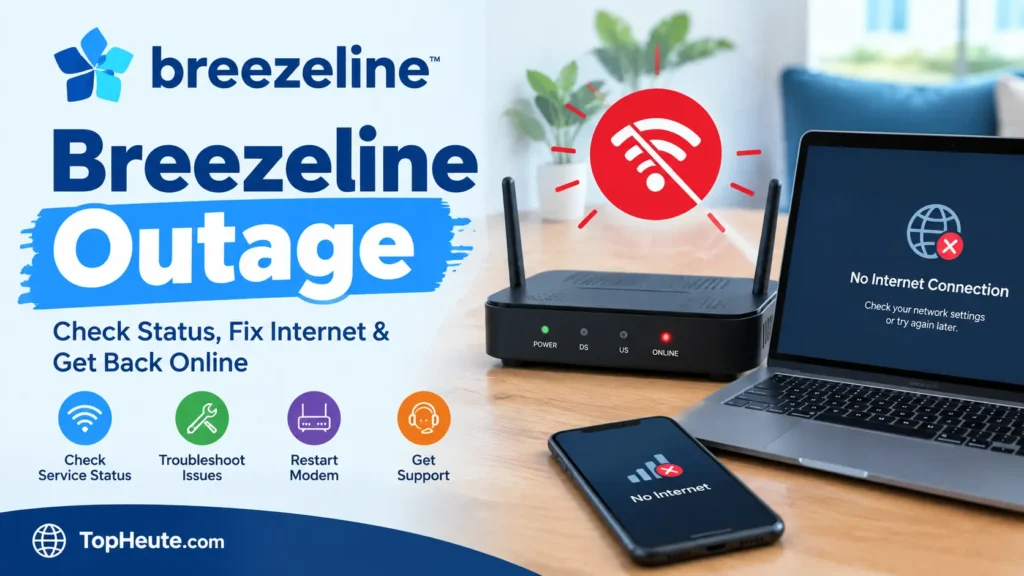
A breezeline outage can be frustrating, especially when your internet suddenly stops working, websites refuse to load, streaming starts buffering, or every device in your home loses its connection. The first question most people have is simple: Is the problem affecting everyone, or is something wrong with my own connection?
A breezeline outage does not always mean the entire Breezeline network is down. Service interruptions can affect a specific neighborhood, part of a city, or a larger service area. In other cases, the provider may be operating normally while the problem is caused by a modem, router, Wi-Fi signal, damaged cable, power issue, device, or account problem.
The fastest way to understand what is happening is to check the current service status, determine whether other devices or nearby customers are affected, and then troubleshoot your home network if there is no broader service interruption.
This guide explains everything from checking service availability and understanding outage reports to restarting your modem, fixing Wi-Fi problems, reporting an issue, and knowing when service has returned.
What Is a Breezeline Outage?
A breezeline outage is a temporary interruption or significant degradation of Breezeline service that prevents customers from using one or more connected services normally. Depending on the situation, the affected service may include broadband internet, Wi-Fi connectivity, television, home phone, or other network-dependent services.
An outage can happen at different levels. A network problem may affect many customers in one area, while an equipment or connection problem may affect only one household.
What can cause an internet service interruption?
Common causes include:
- Network equipment failure
- Planned maintenance
- Fiber or cable infrastructure problems
- Severe weather
- Power failures
- Damaged outside lines
- Construction-related cable damage
- Local equipment problems
- Modem or gateway failures
- Router or Wi-Fi problems
- Network congestion
- Account or service issues
A useful distinction is that no internet connection does not automatically prove there is a provider-wide problem.
If only one laptop cannot connect while your phone, television, and another computer work normally, the issue is probably local to that device. If every connected device loses internet access at the same time, a modem, gateway, home network, or wider service issue becomes more likely.
Breezeline’s current support resources specifically provide tools for checking outages, resetting modems, troubleshooting Wi-Fi, testing internet speed, and managing services through its account system.
Is Breezeline Down Right Now?
The answer can change from one moment to another, so a third-party report should not automatically be treated as an official confirmation.
At the time of the latest available status checks used for this article, independent outage-monitoring services were not showing evidence of a broad Breezeline service failure. However, some individual user reports can still occur even when the overall network is considered operational.
This is important because “Breezeline is working” and “my Breezeline internet is not working” can both be true at the same time.
How can you tell whether the problem is widespread?
Look for several signals together:
- Your Breezeline account or official support tools show an outage.
- Multiple devices in your home are offline.
- Nearby customers report similar problems.
- Independent outage monitors show an unusual increase in reports.
- Your modem or gateway cannot establish its normal internet connection.
- Service returns for multiple customers at approximately the same time.
Independent outage websites can help identify patterns, but their maps generally use customer-submitted or publicly observed reports. They should therefore be treated as supporting information rather than a replacement for provider confirmation.
How to Check a Breezeline Outage in Your Area
If your internet suddenly stops working, checking for an area-level service problem should be one of your first actions.
Breezeline provides an outage-checking option through its support and account ecosystem. Its current support page also directs customers toward troubleshooting resources and account-based assistance.
What should you check first?
Start with these checks:
- Check your Breezeline account for service information.
- Look for an outage notification.
- Check whether multiple devices are offline.
- Look at your modem or gateway indicators.
- Check whether your home has power.
- Ask a nearby Breezeline customer whether their connection is working.
- Compare the situation with independent outage reports.
- Wait briefly after a known network interruption before repeatedly restarting equipment.
Why does checking your location matter?
Broadband problems are often geographically limited. A customer several miles away can have normal service while your neighborhood is experiencing an infrastructure problem.
That is why location-based outage information is more useful than simply searching whether Breezeline is “down.”
Your ZIP code, city, neighborhood, and service address can all provide useful context when determining whether the problem is local.
Breezeline Outage Map and Service Status
An outage map can help you understand where customers are reporting connectivity problems. However, you should understand what an outage map actually represents before relying on it.
Many independent outage maps are generated from user reports, social posts, or other public signals. They can show geographic clusters of complaints, but they do not necessarily prove that Breezeline has officially confirmed an incident.
How should you read an outage map?
Look for a pattern rather than one isolated report.
A cluster of reports from the same city or nearby communities is more meaningful than one person reporting a problem hundreds of miles away.
Pay attention to:
- Report volume
- Report timing
- Geographic concentration
- Type of problem
- Whether reports are increasing or decreasing
- Whether Breezeline has acknowledged an incident
- Whether your specific service area is affected
What is the difference between an outage map and a service status?
A service status attempts to answer whether the provider is currently experiencing a broader problem.
An outage map adds geographic context by showing where reports are coming from.
Neither should be interpreted without considering the source and timestamp.
For a current incident, always check the latest information rather than relying on an old screenshot, cached result, or historical outage report.
Common Causes of a Breezeline Outage
A service interruption can have several different causes, and the cause often determines how quickly service can return.
Network maintenance
Internet providers periodically perform maintenance, upgrades, repairs, and infrastructure work. During certain maintenance activities, customers may experience temporary connectivity problems.
Damaged cable or fiber infrastructure
Construction, accidents, storms, fallen trees, or other physical events can damage communication infrastructure. A damaged line may affect a small neighborhood or a much larger area depending on where the damage occurs.
Power outage
Your internet equipment requires electricity. Even if the Breezeline network itself is operating normally, a power failure in your home can make your internet unavailable.
Equipment failure
A modem, gateway, router, Wi-Fi pod, or related network equipment can fail or lose its connection.
Severe weather
Storms, flooding, lightning, high winds, and other environmental conditions can interfere with infrastructure or electrical service.
Local network congestion or technical problems
Not every connectivity problem is a complete outage. Customers may experience slow speeds, intermittent connections, packet loss, or unstable service while some network functions remain available.
Common Signs of a Breezeline Outage
Knowing the symptoms can help you distinguish a provider-side problem from a device-specific issue.
Common signs include:
- Internet stops working on every device.
- Websites do not load.
- Streaming services stop connecting.
- Video calls disconnect.
- Online games lose connection.
- Smart-home devices become unreachable.
- The modem cannot establish an internet connection.
- Wi-Fi remains visible but has no internet access.
- Connection repeatedly drops and returns.
- Multiple nearby customers experience the same problem.
Does having Wi-Fi mean your internet is working?
No.
Your device can remain connected to your home’s Wi-Fi network even when the modem or gateway has lost its connection to the internet.
Think of it as two separate connections:
Device → Wi-Fi router → Internet service
The first connection can work while the second one is broken.
That is why seeing your Wi-Fi network name on your phone does not prove that the broadband connection is available.
Breezeline Internet Outage vs. Wi-Fi Problems
This is one of the most important distinctions to understand.
A broadband internet problem means the connection between your home network and the internet service is failing or degraded.
A Wi-Fi problem means your wireless device may have trouble communicating with your router or gateway.
How can you tell the difference?
Try another device.
If your phone, laptop, smart television, and another connected device all have the same problem, the issue is unlikely to be limited to one device.
If only one device is affected, investigate that device first.
You can also test a wired connection when available. If an Ethernet-connected computer works while Wi-Fi devices do not, the broadband service may be functioning and the problem may be wireless.
Breezeline’s support system specifically separates internet troubleshooting from Wi-Fi troubleshooting, reflecting this distinction.
How to Tell If a Breezeline Outage Is Local or Regional
The size of a service interruption matters because it changes what you should do next.
A local problem may affect one home, one building, or a small neighborhood.
A regional problem can affect customers across multiple neighborhoods or communities.
What evidence points toward a local problem?
- Only one device is affected.
- Your neighbors have working service.
- Your modem appears normal.
- Rebooting restores the connection.
- Your Wi-Fi works but one device does not.
- A wired connection works while wireless devices fail.
What evidence points toward a wider service problem?
- Every device in your home is offline.
- Several nearby customers are affected.
- Reports are clustered around your location.
- The provider identifies an interruption.
- The problem continues after equipment troubleshooting.
- Independent monitoring shows an unusual increase in local reports.
No single symptom proves the geographic scope of an incident. Combining several signals gives you a much clearer picture.
Why Is My Breezeline Internet Not Working?
If there is no confirmed service interruption, your problem may be somewhere inside your home network.
Possible causes include:
- Modem or gateway connection failure
- Router problems
- Loose coaxial or Ethernet cables
- Wi-Fi interference
- Device-specific problems
- Power interruption
- DNS problems
- Incorrect network settings
- Overloaded equipment
- Damaged hardware
- Service or account problems
Start with the simplest checks before changing advanced settings.
Could the problem be only one device?
Yes.
If your television and phone work but your laptop does not, restarting the laptop, reconnecting to Wi-Fi, or checking its network settings may solve the problem.
If nothing in your home can access the internet, focus on the modem, gateway, router, power, cables, and service status.
How to Troubleshoot Breezeline Internet During an Outage
When an outage is confirmed, repeatedly changing your home settings will not repair the provider’s infrastructure. However, basic troubleshooting is still useful because the apparent outage may actually be a local equipment problem.
Use this troubleshooting approach
- Confirm whether other devices are offline.
- Check your modem or gateway.
- Confirm the equipment has power.
- Inspect the coaxial and Ethernet cables.
- Check for a service interruption.
- Restart the modem or gateway when appropriate.
- Wait for the equipment to reconnect.
- Test the connection again.
- Contact support if service does not return.
Breezeline recommends checking power, ensuring the coaxial connection is secure, and restarting the modem as part of its troubleshooting process.
Should you keep restarting the modem?
No.
Repeatedly restarting equipment during a known provider-side interruption is unlikely to make the network repair itself.
Restart it once using the recommended procedure, allow it time to reconnect, and then check the connection again.
How to Restart Your Breezeline Modem
Restarting a modem or gateway can resolve temporary communication problems between your equipment and the provider’s network.
Breezeline’s current guidance recommends using the account-based equipment troubleshooting option when available. It also provides a manual restart process.
Explore more amazing, latest, and insightful articles Visit mid taper fade.
Manual modem restart
Follow this general process:
- Save any important online work.
- Locate the modem or gateway.
- Unplug its power cable.
- If your equipment has a battery, follow the manufacturer’s or Breezeline’s instructions regarding the battery.
- Check that the coaxial cable is firmly connected.
- Reconnect the power cable.
- Allow the modem or gateway time to restart and establish service.
- Test your internet connection.
Do not repeatedly unplug the equipment while it is completing its startup process.
Why does restarting help?
A restart clears a temporary equipment state and forces the modem or gateway to establish its connection again.
It can fix local communication problems, but it cannot repair a damaged external line or a provider-wide network incident.
How to Troubleshoot Breezeline Wi-Fi
If your internet connection is working but Wi-Fi is unreliable, the problem may be wireless rather than an outage.
Try moving closer to the router or gateway and test the connection again.
What can interfere with Wi-Fi?
Common factors include:
- Distance from the router
- Thick walls
- Floors and ceilings
- Metal objects
- Nearby wireless networks
- Electronic interference
- Poor router placement
- Too many connected devices
- Wi-Fi extender or pod placement
If you use Breezeline Wi-Fi equipment or Wi-Fi pods, check whether the equipment is powered and connected properly. Breezeline’s troubleshooting guidance also notes that a Wi-Fi pod can go offline because of power, connection, or placement issues.
What if only one Wi-Fi device is affected?
Restart that device and reconnect it to the wireless network.
If other devices work normally, there is little reason to assume the provider’s entire internet service is unavailable.
How Long Does a Breezeline Outage Usually Last?
There is no universal restoration time for every service interruption.
A short equipment or network issue can resolve quickly, while infrastructure damage, severe weather, or complicated repairs may take considerably longer.
Historical third-party monitoring has recorded incidents of different durations, which demonstrates why a fixed restoration promise would be misleading. For example, one monitoring service recorded a June 2026 incident lasting about thirty-four minutes, while other historical incidents lasted longer or were detected differently.
What affects restoration time?
Factors can include:
- Size of the affected area
- Type of network failure
- Physical infrastructure damage
- Weather
- Power availability
- Equipment replacement requirements
- Maintenance work
- Access to damaged infrastructure
- Number of customers affected
If Breezeline provides an estimated restoration time for a specific incident, that estimate should be treated as an estimate rather than a guarantee.
How to Report a Breezeline Outage
Reporting your problem can help the provider understand that your connection is affected, particularly when the issue has not yet been identified.
Before reporting, gather useful information such as:
- Your service address
- ZIP code
- Type of service affected
- Approximate time the problem started
- Whether all devices are affected
- Whether your modem has power
- Whether you already restarted the equipment
Do not publish sensitive account information in public outage-reporting comments or social-media posts.
What should you report?
Be specific.
Instead of saying:
“Internet bad.”
describe the actual symptoms:
- Internet completely unavailable
- Connection repeatedly drops
- Very slow speeds
- Wi-Fi unavailable
- Television service affected
- Home phone affected
- Service works intermittently
Specific information makes troubleshooting easier.
How to Contact Breezeline During an Outage
Breezeline currently provides several support options, including online support, account tools, chat, and telephone assistance. Its contact page states that chat support is available around the clock and lists the main customer service number as 888-536-9600.
When should you contact support?
Contact Breezeline when:
- The service remains unavailable after basic troubleshooting.
- Your area does not appear to have a known interruption.
- Your equipment will not reconnect.
- You suspect damaged infrastructure.
- You need help determining whether your account or service is affected.
- The problem keeps returning.
- You need information about a reported incident.
Have your account details and service address available, but avoid posting private information publicly.
Breezeline Outage Notifications and Service Updates
Service notifications can be useful because they provide information that a general outage map may not.
However, not every independent monitoring service receives direct provider notifications. Some platforms calculate service health from customer reports and other public signals.
What should a useful outage update tell you?
Ideally, an update should clarify:
- Whether an issue has been identified
- Which service is affected
- Which area is affected
- Whether technicians are working on it
- Whether restoration is underway
- Whether service has been restored
Always pay attention to the timestamp. An update from several hours ago may no longer represent the current condition.
Breezeline Outage History and Recent Service Issues
Outage history can help reveal patterns, but it should not be confused with current status.
Third-party monitoring services maintain different datasets and use different detection methods. One may record an event based on unusual user reports, while another may not consider the same event significant enough to list.
For example, historical monitoring has documented Breezeline service incidents during 2025 and 2026, but the recorded duration and detection details differ between monitoring platforms.
Why can outage histories disagree?
Because independent services may use:
- Customer-submitted reports
- Website monitoring
- Social media signals
- Report-volume thresholds
- Geographic clustering
- Different definitions of an outage
- Different monitoring intervals
For that reason, outage history is best used to understand patterns rather than to prove that a specific historical incident affected every customer.
What to Do When Breezeline Service Is Restored
When service returns, do not immediately assume everything is back to normal.
Check your connection across several devices.
After service returns
- Test a website.
- Test a second device.
- Check streaming or other services you normally use.
- Confirm Wi-Fi is stable.
- Check whether connection drops continue.
- Avoid changing advanced router settings unless necessary.
- If the problem continues, report the remaining issue.
Sometimes an outage ends while an individual modem, router, or Wi-Fi device remains in an abnormal state. A controlled restart may help if the equipment does not reconnect automatically.
What if service keeps dropping after restoration?
Intermittent connectivity can indicate a separate local problem or an unstable network condition.
Record when the connection drops and what devices are affected. This information can be useful when speaking with support.
Breezeline Outage by City and State
Breezeline service is not equally distributed across the United States, so outage information should always be interpreted geographically.
Independent outage maps have recently shown user reports from locations including parts of Ohio, Pennsylvania, Maryland, Virginia, and other areas. These reports represent reported activity rather than automatic confirmation of a provider-declared outage.
Why does city-level information matter?
A customer in Cleveland may experience a network issue while a customer in another state has normal service.
Even within the same city, one neighborhood can experience an infrastructure problem while another remains connected.
For this reason, useful local status information should consider:
- State
- City
- Neighborhood
- ZIP code
- Report timing
- Number of nearby reports
- Type of service affected
How should you use local outage reports?
Treat them as evidence of a possible local pattern, not as absolute proof.
If several reports appear close to your location within a short period and you are experiencing the same symptoms, the reports become more useful.
If you are the only person reporting a problem, investigate your own equipment and connection before assuming there is a larger network failure.
FAQs
Is Breezeline currently experiencing an outage?
Current status can change rapidly. Recent independent monitoring available for this guide did not indicate a broad Breezeline outage, although isolated customer reports can still occur. Always verify your own service area through current provider information before concluding that the entire network is down.
How do I know if Breezeline internet is down in my area?
Check your Breezeline account and outage-checking tools, then compare the result with your modem status and nearby reports. If several customers around you have the same problem, a local service interruption becomes more plausible.
Why is my Breezeline internet not working but my Wi-Fi is connected?
Your device can be connected to the router through Wi-Fi while the router itself has lost its internet connection. Check the modem or gateway and test another device to determine whether the problem is with Wi-Fi or the broadband connection.
Why is Breezeline internet so slow?
Slow internet can result from network congestion, Wi-Fi interference, equipment problems, device limitations, or a service issue. Test multiple devices and, when possible, compare a wired connection with Wi-Fi before assuming there is a network-wide problem.
How do I restart my Breezeline modem?
Disconnect the modem’s power, make sure the coaxial connection is secure, reconnect the power, and allow the equipment enough time to restart and establish service. Breezeline also provides account-based modem troubleshooting.
How long does a Breezeline service interruption last?
There is no fixed duration. Restoration time depends on the cause, affected area, infrastructure damage, weather, equipment, and repair requirements.
Can bad weather cause internet service problems?
Yes. Severe weather can affect power and physical communications infrastructure, potentially causing temporary connectivity problems.
Can a power outage cause my internet to stop working?
Yes. Your modem, gateway, router, and other network equipment require power. Breezeline also notes that its home phone and E911 service can be affected when power or network service is interrupted.
What should I do if my neighbors have internet but I do not?
Check your power, cables, modem, router, and individual devices. If your neighbors have normal service and your equipment does not reconnect after basic troubleshooting, contact Breezeline support.
Should I restart my modem during a service interruption?
A single restart can help determine whether your equipment has lost its connection. If there is a confirmed provider-side problem, however, restarting the modem repeatedly will not repair the external network.
How can I report a Breezeline service problem?
Use Breezeline’s available support and account channels and provide details about your service address, symptoms, affected devices, and when the problem began. Breezeline currently offers online support, chat, account tools, and phone assistance.
Can Wi-Fi be the problem instead of Breezeline?
Yes. If one device has trouble while others work normally, investigate that device or the wireless connection. If every device is offline, check the modem, gateway, service status, and possible network interruption.
What is the Breezeline outage map?
An outage map is a geographic representation of reported service problems. Independent maps generally use user-submitted or publicly observed information, so they should not automatically be interpreted as official provider confirmation.
Why does an outage map show reports when Breezeline says service is working?
A provider may not have declared a broad incident even though individual customers are experiencing problems. Independent monitoring can also detect localized issues before they are officially acknowledged or can continue displaying reports after service has been restored.
What should I do after my internet comes back?
Test multiple devices, confirm websites and applications work normally, and watch for repeated disconnections. If problems continue after the wider service issue has ended, troubleshoot your home network separately.
Conclusion
A Breezeline service interruption can come from many different sources, and identifying the scope of the problem is the most useful first step. A network issue affecting many customers requires a different response from a Wi-Fi problem affecting one laptop or a modem that simply needs to reconnect.
Start by checking the current service information for your area. Then compare what you see with your modem, Wi-Fi connection, other devices, and nearby reports. If no wider problem is identified, work through the basic equipment and network checks before contacting support.
The most important point is not to assume that every loss of internet access means the provider’s entire network is down. Understanding the difference between a local equipment problem, Wi-Fi issue, and broader service interruption can save time and help you get back online more efficiently.
Explore more amazing, latest, and insightful articles Visit research dossier for target company.